
Shared Data
Dictionaries
Dictionaries remove repetitive target and message entry by keeping contacts, chats, and reusable Telegram message templates in one shared module.
What dictionaries store
The module is split into `Contacts Dictionary`, `Chats Dictionary`, and `Messages Dictionary`.
Contacts and chats serve as shared targets, while messages serve as reusable Telegram text templates.
- All tabs support search within the current dictionary.
- Contacts and chats support editing, deletion, and batch import.
- Message templates are created and edited on a separate page instead of inside a modal.
How to import contacts and chats
- In text mode, a contact such as `@username` is stored as a username.
- For chats, paste usernames or Telegram links; TG Dock derives a readable title locally.
- Import updates the shared TG Dock dictionary and does not trigger a Telegram operation by itself.
Open dictionary import
Use the create action to choose contact or chat import.
Pick the mode
Quick paste is useful for manual preparation, while CSV works better for structured batches.
Inspect the preview
Live validation counts valid and invalid rows while you type. Import remains disabled until every error is fixed.
How the message dictionary works
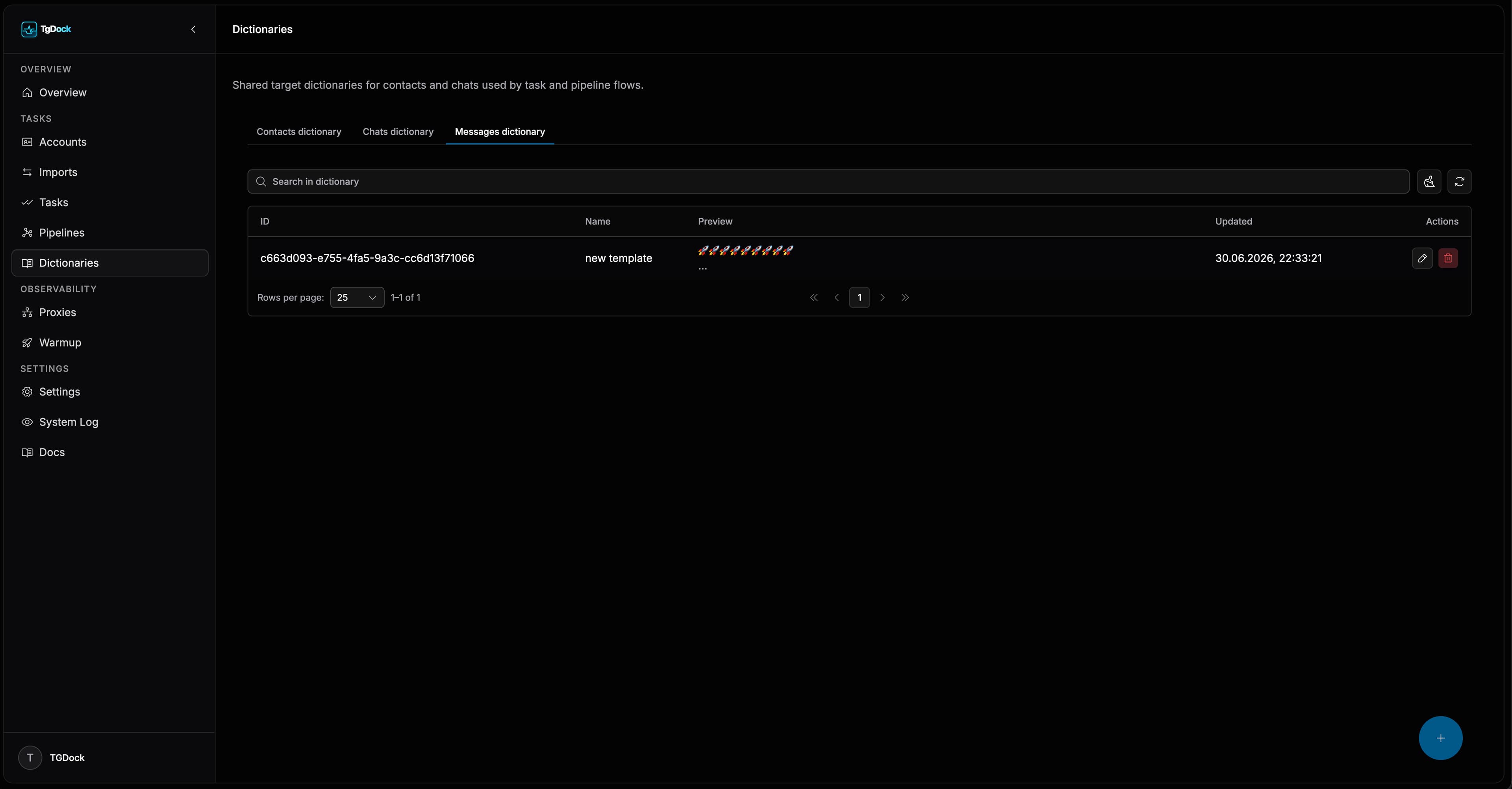
The `Messages Dictionary` tab stores reusable Telegram message templates that can be selected later in tasks and pipeline steps.
- The list supports search, deletion, and navigation into edit mode.
- Creating a template opens a dedicated page with name, rich-text editor, and Telegram preview.
- Preview preserves supported formatting such as bold and italic.
- Only one template can be attached to a single task or pipeline step when template mode is selected.
How to add message templates
Open the `Messages Dictionary` tab
Switch to the message-template tab inside the `Dictionaries` section.
Use the create action
Click the floating create button to open the dedicated new-template page.
Fill in the name and message text
Enter a clear template name and compose the message in the editor.
Review the Telegram preview and save
Check the preview block, then save the template so it becomes available in tasks and pipelines.
Where dictionaries are used next
- In `Tasks`, contact and chat dictionaries work as target sources, while message dictionary entries work as message sources.
- In `Pipelines`, contacts and chats can be selected from dictionaries for step targets.
- Message pipeline steps can attach one shared template instead of manual text.
- The main value is lower operator overhead and fewer inconsistencies in repeated workflows.