
Automation
Pipelines
Use Pipelines when one action is not enough and the sequence itself needs to be observable and controllable.
Lifecycle and list behavior
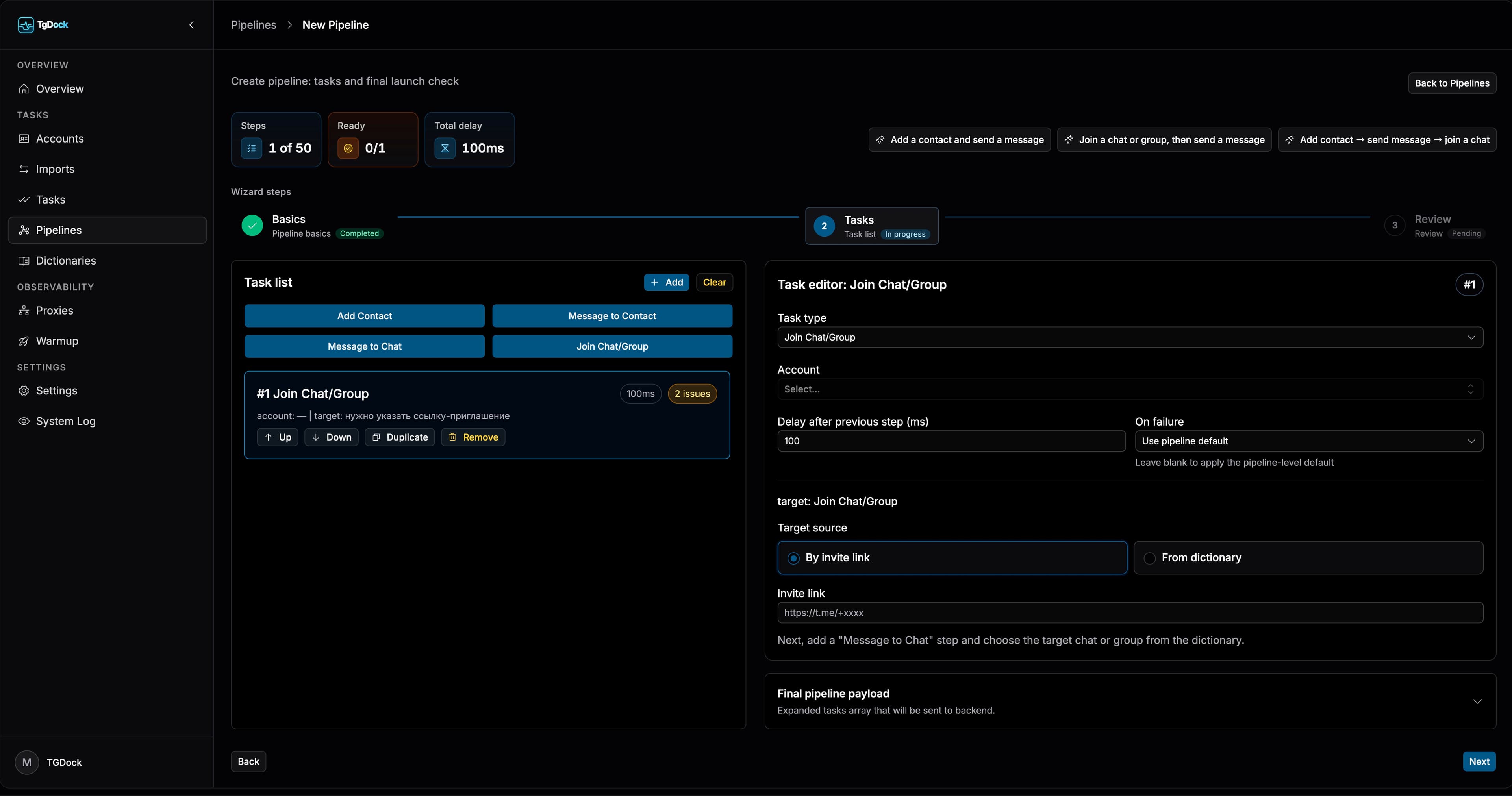
The pipeline list exposes lifecycle controls directly in the table. Start is available for draft and paused pipelines, Pause temporarily stops new step scheduling, and Stop ends execution.
Restart is available for every status except draft and reruns the same pipeline after clearing step execution state.
How to build a pipeline
Foundation
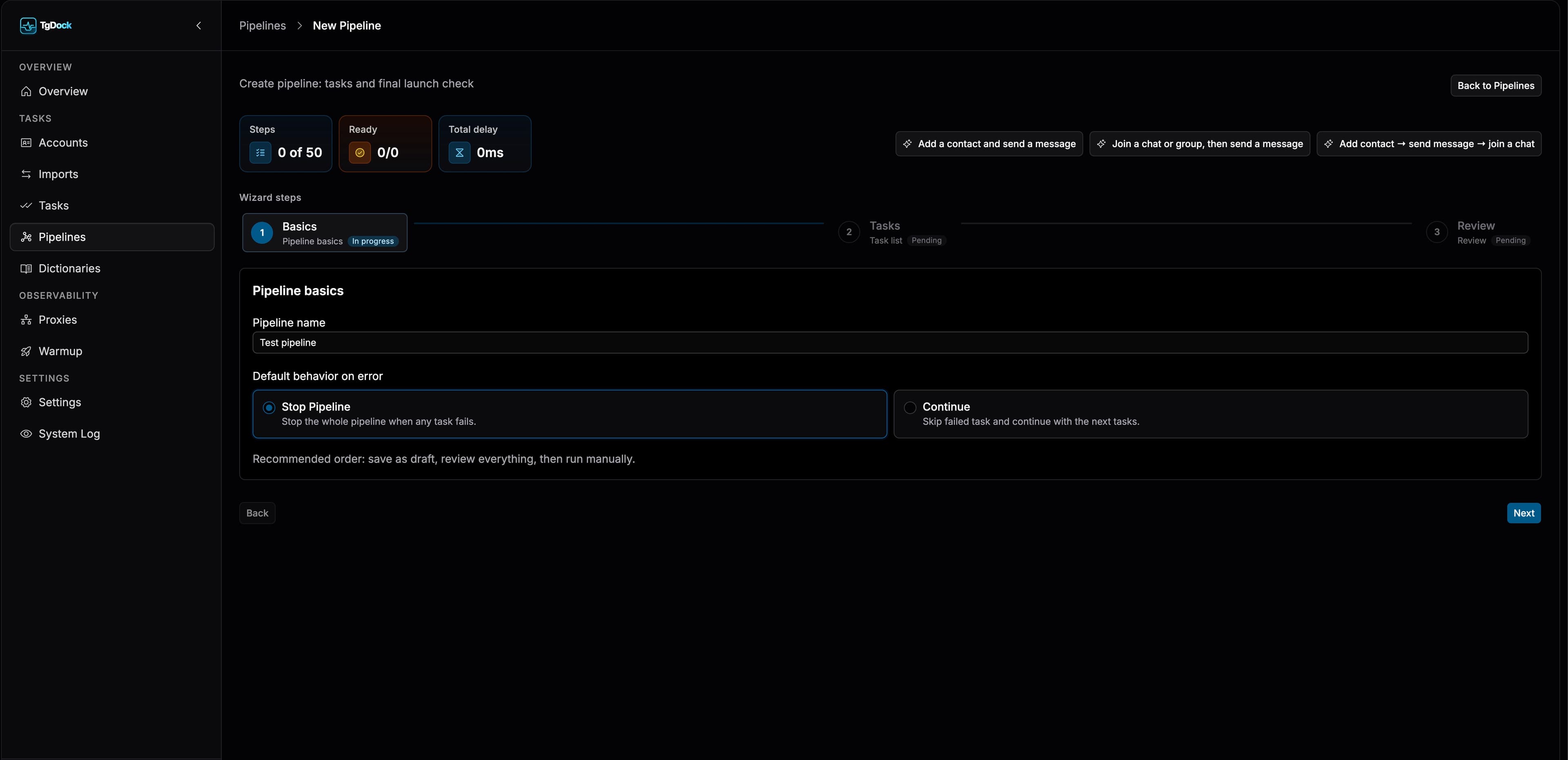
Set the pipeline name and default error policy.
Tasks
Add, reorder, duplicate, and remove steps while setting account, delay, and target source.
Review
Validate missing fields, inspect the structural summary, and save as draft or launch immediately.
Full pipeline restart
Use Restart when the complete sequence must run again, not when a paused run should continue. TG Dock preserves pipeline configuration, resets step execution state, and begins a fresh pass.
- Use Start, not Restart, to continue after a pause.
- Before restarting, confirm that repeating already completed Telegram actions is safe.
- After confirmation, monitor the new pass in the same pipeline detail card.
Step types and target sources
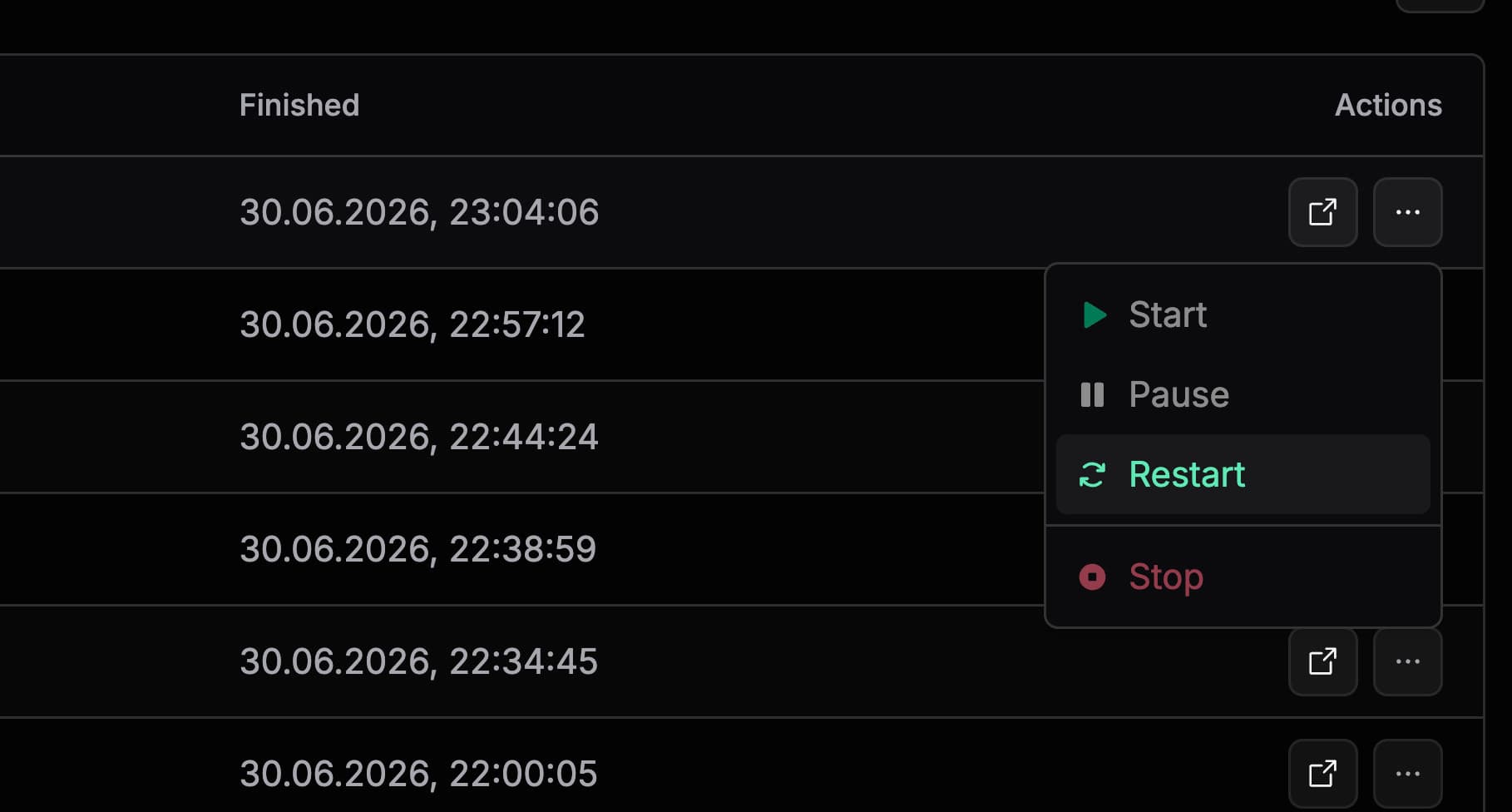
- Add Contact accepts either a username or a phone number with a first name; last name and phone-sharing remain optional fields for the phone flow.
- Message Contact can target account contacts, shared dictionaries, or manual input, and its message text can come from manual text or a saved template.
- Message Chat can target one or many chats from account data, dictionaries, or a manual chat ID, with the same text-versus-template choice.
- Join Chat or Group can use dictionary targets or a direct invite link.
How pipelines consume dictionaries
- Contact and chat dictionaries work as shared target sources for pipeline steps.
- Message templates are attached as a dedicated message source instead of copying text manually into every step.
- Each message step selects a single saved template when dictionary mode is used.
- This makes it easier to keep recurring outreach text consistent across many runs.