
Infrastructure
Proxies
Proxies combines single-record setup, health checks, and large-scale batch binding for infrastructure-heavy account fleets.
Single proxy creation
Step 01
Open the Create Proxy menu
Use the create action in the list and choose the single-proxy flow.
Step 02
Enter configuration
Provide name, host, port, protocol, and optional login, password, country, provider, or notes.
Step 03
Save the record
The new proxy becomes available for health checks, account assignment, and import proxy-pool selection immediately after creation.
Mass creation and binding
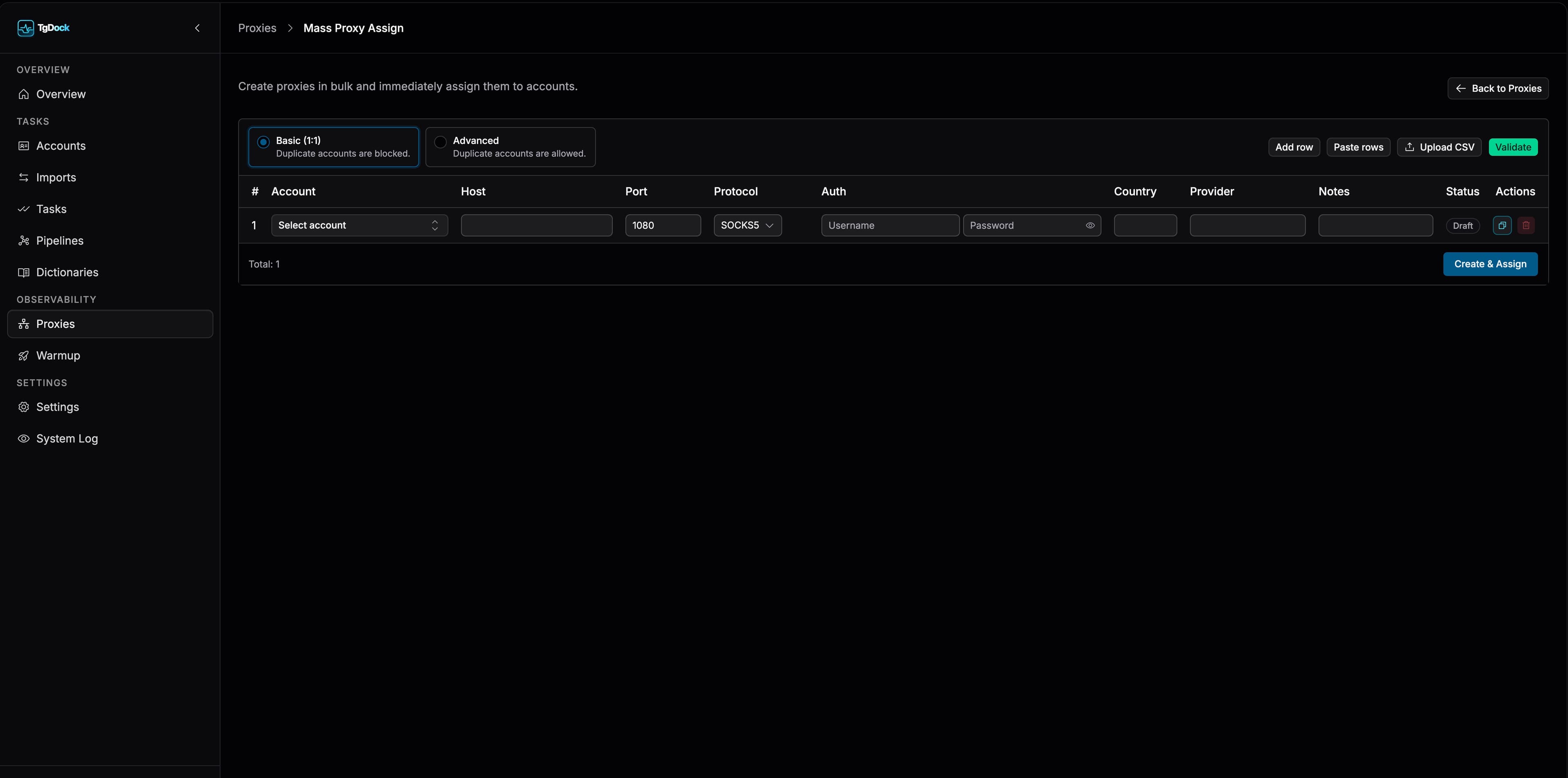
The dedicated batch screen is built for large fleets. It supports manual row entry, raw paste, and CSV upload before validation.
- Basic (1:1) forbids reusing the same account in multiple rows.
- Advanced allows repeated account assignment patterns.
- Validate checks host, port, protocol, and country code before submission.
- Create & Bind creates records, binds them, and performs naming as part of one flow.
Where proxies are used next
- In `Imports`, active proxies populate the `Proxy pool` picker and can be distributed across batch items.
- In `Accounts`, proxies are assigned directly to accounts and influence whether Telegram actions can safely continue.
- If account-level proxy assignment becomes invalid or conflicting, TG Dock surfaces that state before execution.
- This makes proxy preparation part of total operational readiness, not just a post-import cleanup task.
Proxy detail card
- Overview for summary data and check history.
- Editing mode for configuration updates.
- List actions for check, enable or disable, and delete.