
Ingestion
Imports
Imports now covers the full network-aware ingestion path: choose Session JSON or TData, prepare a proxy pool, confirm direct-import risk when needed, then monitor queued jobs and linked accounts.
Import history
The main screen lets you filter by status and source type, reset filters, and open the detail card for a specific import run.
After a batch launch, history becomes the primary return point because TG Dock sends you back there when the upload produced multiple jobs.
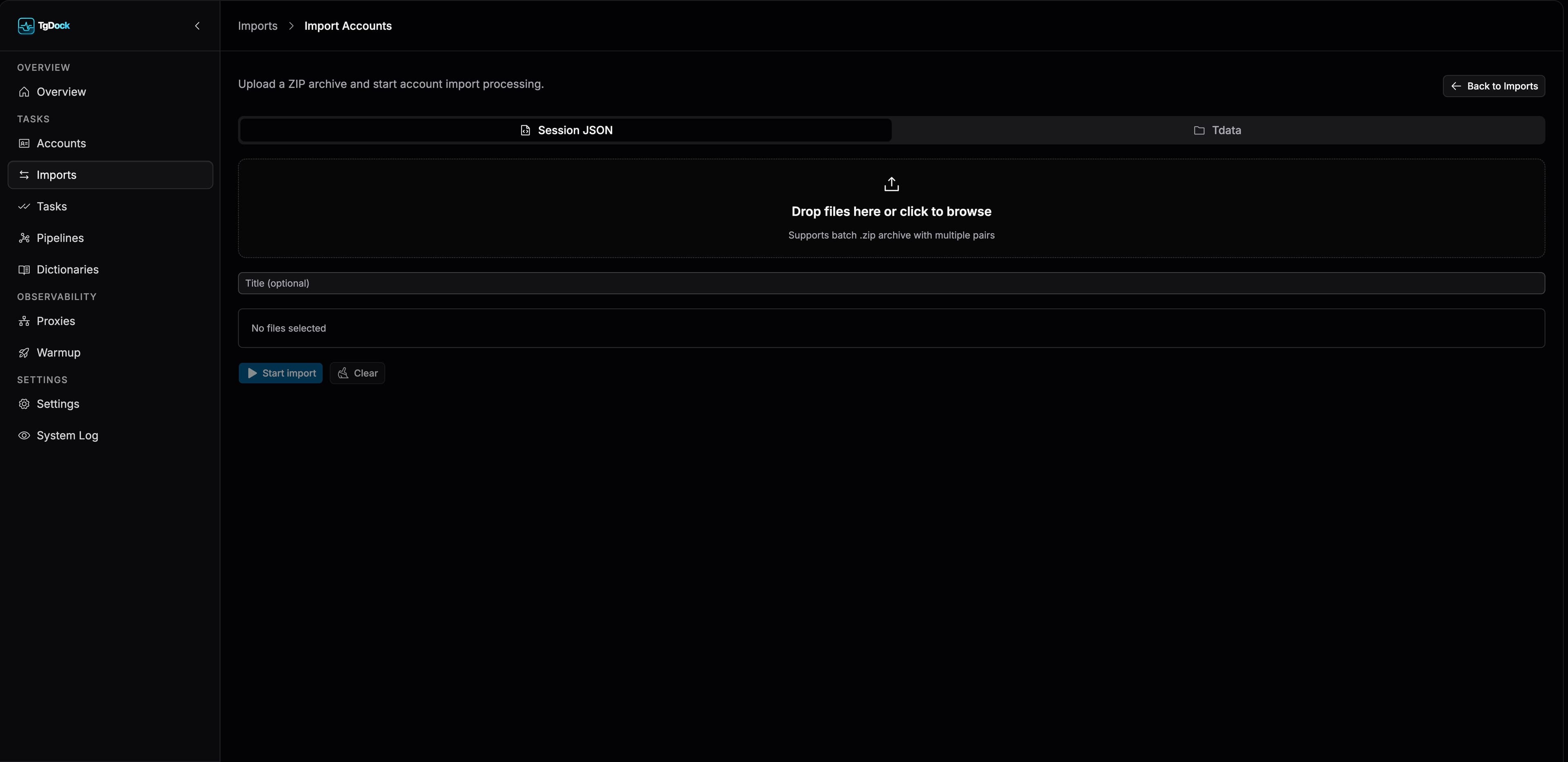
How the current import flow works
Start a new import
Use the floating create action to open the import flow.
Choose the archive mode
Use the top tabs to switch between `Session JSON` and `TData`. Both paths are ZIP-based and show a mode-specific warning.
Upload the ZIP and optionally name the run
Drop the archive into the dropzone or select it manually, then fill the optional title if you want easier history lookup later.
Build the proxy pool
Use the `Proxy pool` field to choose one or more active proxies. For batch imports, TG Dock distributes selected proxies across items with round-robin behavior.
Confirm direct import if no proxy is selected
If you launch without any proxy, TG Dock opens a confirmation dialog warning that import processing or TData conversion will run through a direct path and Telegram restriction risk will be higher.
Watch the redirect behavior
When a single job is created, TG Dock opens that import card. When multiple jobs are queued, the UI sends you back to import history so you can inspect each run from there.
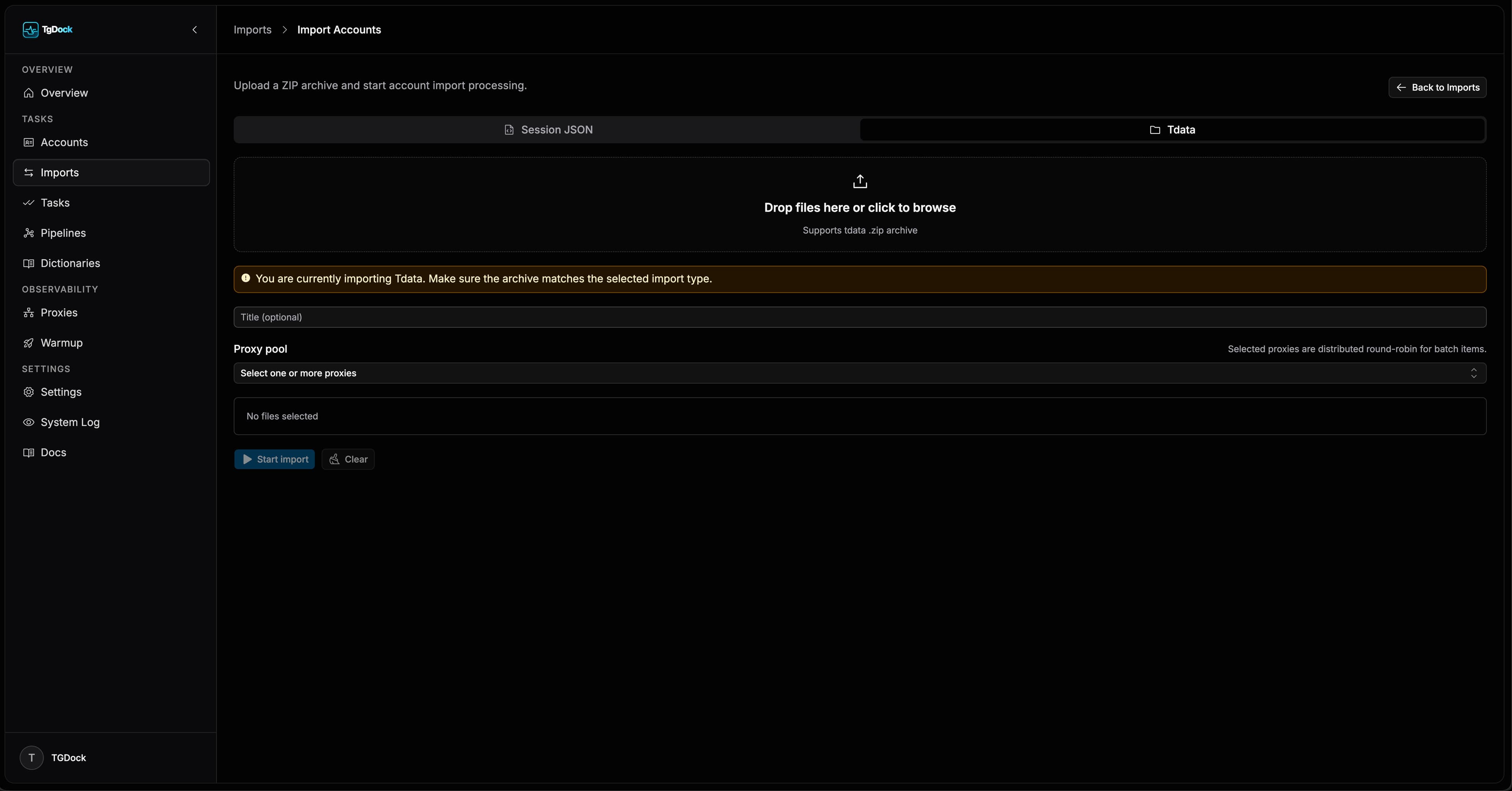
How the proxy pool behaves
- Only active proxies are offered for import selection.
- Proxies already assigned to accounts are labeled as already assigned and are disabled in the picker.
- Batch imports can use multiple proxies at once when more than one proxy is selected.
- Direct import is still possible, but only after an explicit risk confirmation.
What to inspect after launch
- The queue panel shows `jobId`, current state, and a short status message for active jobs.
- Batch runs expose a queued/failed summary before the redirect finishes.
- The import detail card contains run summary, file-level statuses, repeat, cancel, refresh, and direct navigation into a linked account.